
 Date: Aug 14 2025 - 12:50
 Category: Computer worms
 Tags: threats, worms

In today’s digital world, we rely heavily on computers and the internet for various tasks such as communication, banking, shopping, and entertainment. However, with this increased reliance comes the risk of cyber threats, one of which is computer worms. A computer worm is a type of malicious software that can spread from one computer to another, causing harm to systems and networks. In this blog post, we will discuss the nature of computer worms, their potential threats, and how to prevent them from infecting our devices.

A computer worm is a self-replicating malware program that can spread through networks and devices without the need for human intervention. Unlike viruses, worms do not require a host file to attach themselves to and can spread independently.
They can enter a system through various means, such as email attachments, infected websites, or by exploiting vulnerabilities in software.

There are various types of computer worms, each with its own purpose and method of spreading. The most common types include email worms, instant messaging worms, internet worms, file-sharing worms, and network worms.
Email worms spread through email attachments and can infect a user’s device when they open the attachment. Instant messaging worms, as the name suggests, spread through instant messaging platforms, often by sending malicious links or files to contacts. Internet worms can infect a device when a user visits an infected website or clicks on a malicious link. File-sharing worms spread through peer-to-peer file-sharing networks, while network worms can spread through network vulnerabilities, such as weak passwords or unpatched software.
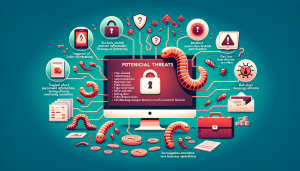
Computer worms can cause a range of threats to your device, network, and personal information. They can slow down your computer’s performance, steal sensitive information such as login credentials and banking details, and even gain remote control over your device.
In severe cases, worms can delete or corrupt files, leading to data loss and disruption of business operations. Moreover, worms can also spread to other devices on the same network, causing a widespread infection.
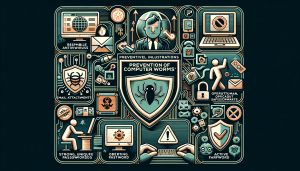
Preventing computer worms from infecting your device is crucial to protect your personal information and maintain the security of your system. Here are some preventive measures you can take:
– Install reputable antivirus software and keep it updated to detect and remove any worms from your device.
– Be cautious when opening email attachments or clicking on links from unknown senders.
– Avoid downloading files from untrustworthy websites or file-sharing networks.
– Keep your operating system and software updated with the latest security patches to prevent vulnerabilities that worms can exploit.
– Use strong and unique passwords for all your accounts to prevent worms from accessing your personal information.
– Enable firewalls on your device and network to block any unauthorized access.

If you suspect that your device is infected with a computer worm, here are some steps you can take:
– Run a full scan using your antivirus software to detect and remove the worm.
– Disconnect your device from the internet and other devices on the same network to prevent the worm from spreading.
– Change all your passwords, especially for sensitive accounts such as online banking and email.
– Restore your device to a previous backup if possible.
– If the infection is severe, seek professional help from a cybersecurity expert.
In conclusion, computer worms are a significant threat to our digital world, and it is crucial to take preventive measures to avoid them from infecting our devices and networks. By understanding the nature of computer worms, their potential threats, and implementing preventive measures, we can protect ourselves from these malicious programs. Remember, prevention is always better than cure when it comes to cyber threats, so stay vigilant and keep your devices and information safe.


