 Date: Aug 04 2025 - 10:25
 Category: Wireless LAN
 Tags: lan, wirelesslan

Wireless LAN (Local Area Network) has become an essential aspect in today’s technological landscape. With the increasing demand for mobility and connectivity, it has become crucial for IT professionals to have a thorough understanding of wireless LAN technology. In this blog post, we will provide a complete guide for IT professionals to master wireless LAN.

Wireless LAN, also known as WLAN, is a type of network that uses radio waves to connect devices wirelessly. It allows devices such as laptops, smartphones, and tablets to access the internet and communicate with each other without the need for physical cables.
WLAN operates on the same principles as a traditional wired LAN, except for the physical connection. Instead of using Ethernet cables, WLAN uses wireless access points to transmit and receive data.
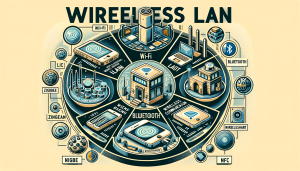
There are various types of WLAN technologies, each with its advantages and limitations. The most commonly used types of WLAN are:
– **Wi-Fi:** Wi-Fi is the most widely used WLAN technology. It operates on the IEEE 802.11 standard and provides high-speed wireless internet access.
– **Bluetooth:** Bluetooth is a short-range wireless technology used for connecting devices such as headphones, keyboards, and speakers.
– **Zigbee:** Zigbee is a low-power wireless technology used for IoT (Internet of Things) devices.
– **WirelessHART:** WirelessHART is a wireless sensor network technology used in industrial settings.
– **NFC:** NFC (Near Field Communication) is a short-range wireless technology used for contactless payments and data transfer between devices.
As an IT professional, it is essential to have a good understanding of these different types of WLAN technologies and their applications.
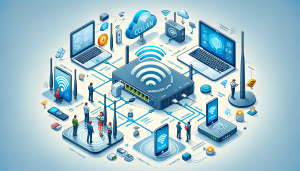
Wireless LAN works by using radio waves to transmit and receive data between devices. It consists of three main components – wireless clients, access points, and a wireless LAN controller.
– **Wireless Clients:** These are devices such as laptops, smartphones, and tablets that connect to the WLAN.
– **Access Points:** Access points act as a bridge between the wireless clients and the wired network. They receive data from the wireless clients and transmit it to the wired network and vice versa.
– **Wireless LAN Controller (WLC):** WLC is responsible for managing and controlling the access points in a WLAN. It helps in optimizing the performance of the WLAN and ensures security.
When a wireless client wants to connect to a WLAN, it first sends a request to the access point. The access point then authenticates the client and establishes a connection. Once the connection is established, the client can access the internet and communicate with other devices on the WLAN.
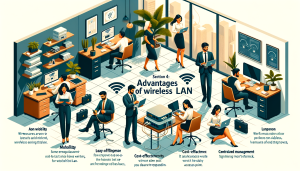
Wireless LAN offers several advantages over traditional wired networks, making it a preferred choice for many organizations. Some of these advantages are:
– **Mobility:** Wireless LAN provides mobility, allowing users to connect to the network from any location within the coverage area.
– **Easy to set up and expand:** Unlike wired networks, setting up a WLAN is relatively easy and does not require any physical cabling. It also allows for easy expansion, as new access points can be added to increase the coverage area.
-**Cost-effective:** WLAN eliminates the need for expensive Ethernet cables, making it a cost-effective option for network connectivity.
– **Flexibility:** WLAN offers flexibility, allowing users to move around with their devices without worrying about cables.
– **Centralized management:** With a wireless LAN controller, IT professionals can centrally manage and monitor the entire WLAN, making it easier to troubleshoot any issues.
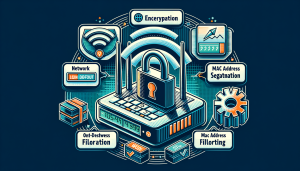
As with any network, security is a crucial aspect of a WLAN. Here are some best practices for securing your wireless LAN:
– **Use strong encryption:** Ensure that your WLAN is encrypted using a strong encryption method such as WPA2 (Wi-Fi Protected Access 2). Avoid using outdated and vulnerable encryption methods like WEP (Wired Equivalent Privacy).
– **Change default settings:** Change the default login credentials for your access points and WLC to prevent unauthorized access.
– **Implement network segmentation:** Segmenting your WLAN into different networks can help in minimizing the impact of a security breach.
– **Enable MAC address filtering:** MAC address filtering allows you to specify which devices can connect to your WLAN based on their MAC addresses.
– **Regularly update firmware:** Keep your access points and WLC firmware up to date to ensure that any known security vulnerabilities are patched.
Wireless LAN has revolutionized the way we connect and communicate. As an IT professional, having a good understanding of the technology and its applications is crucial. With this guide, we hope to have provided you with the necessary information to master wireless LAN and ensure its security. Remember to keep yourself updated with the latest developments in WLAN technology to stay ahead in the ever-evolving IT landscape.