 Date: Aug 11 2025 - 08:39
 Category: Windows Server
 Tags: monitorserver, windowsserver

Server performance refers to the speed and stability with which a server operates. It is affected by various factors such as hardware, software, network, and workload. Monitoring server performance involves tracking these factors and identifying any potential issues that may impact the server’s performance. Managing server performance involves taking proactive measures to optimize the server’s performance and prevent any disruptions.

The performance of a server directly affects the user experience and productivity of a business. Slow or unresponsive servers can lead to frustrated employees, dissatisfied customers, and ultimately, financial losses. Additionally, monitoring server performance can help identify any potential security threats or breaches, allowing for timely action to be taken.
Effective monitoring and managing of server performance can also help with capacity planning. By tracking performance metrics, businesses can make informed decisions about server upgrades or scaling to meet increasing demands.
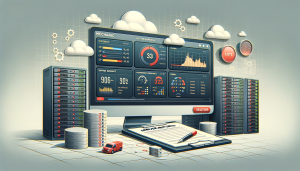
1. **Performance Monitoring Software:** There are various performance monitoring software available in the market that can help track server performance metrics such as CPU utilization, memory usage, and network traffic. Some popular options include SolarWinds Server & Application Monitor, PRTG Network Monitor, and Nagios.
2. **Server Logs:** Server logs are a valuable source of information for monitoring server performance. They can provide insights into errors, warnings, and other events that impact the server’s performance. Tools like Splunk and ELK Stack can help collect, analyze, and visualize server logs.
3. **Server Monitoring Services:** Many cloud service providers offer server monitoring services, which can be useful for businesses that have their servers hosted on the cloud. These services typically provide real-time monitoring of server performance and can send alerts in case of any abnormalities.

1. **Regular Maintenance and Updates:** Keeping servers well-maintained and up-to-date is crucial for optimal performance. Regular maintenance tasks such as disk defragmentation, disk clean-up, and software updates can help keep servers running smoothly.
2. **Optimizing Workloads:** Server performance can be impacted by the workload it is handling. By optimizing workloads and distributing them evenly across servers, businesses can prevent overloading and ensure better performance.
3. **Monitoring Resource Usage:** Monitoring resource usage, such as CPU, memory, and disk space, can help identify any bottlenecks or potential issues that may impact server performance. Businesses can then take necessary actions such as upgrading hardware or optimizing processes to improve performance.
4. **Implementing Load Balancing:** Load balancing involves distributing incoming network traffic across multiple servers to prevent any single server from getting overwhelmed. This can help improve server performance and prevent any disruptions.

1. **Establish Baseline Performance Metrics:** Before implementing any performance monitoring or management strategies, it is essential to establish a baseline of normal server performance. This will help identify any deviations from the norm and take prompt action.
2. **Set Up Alerts and Notifications:** Setting up alerts and notifications for critical server performance metrics can help identify potential issues and take timely action. These alerts can be configured to trigger emails or text messages to the relevant stakeholders.
3. **Regularly Review and Analyze Performance Data:** Simply monitoring performance metrics is not enough; it is essential to regularly review and analyze the data to identify any patterns or trends that may impact server performance. This will help with proactive management of server performance.
4. **Involve IT Team and Other Stakeholders:** Monitoring and managing server performance is not just the responsibility of the IT team. It is crucial to involve other stakeholders such as business managers and developers to work together towards optimizing server performance.

Managing server performance can be challenging, especially for businesses with complex and diverse IT infrastructure. Some common challenges include:
1. **Lack of Resources:** Many businesses struggle with limited resources, including budget, staff, and time, which can make it challenging to effectively monitor and manage server performance.
2. **Managing Multiple Servers:** As businesses grow, so does their IT infrastructure, which often includes multiple servers. Managing the performance of all these servers can be a daunting task.
3. **Identifying Root Cause of Performance Issues:** Server performance issues can be caused by various factors, and identifying the root cause can be time-consuming and challenging.
In today’s fast-paced business environment, the performance of servers is critical for the smooth operation of a business. By implementing the right tools and following best practices, businesses can effectively monitor and manage server performance to ensure optimal performance and prevent any disruptions. It is essential to regularly review and update server performance strategies to keep up with the ever-changing IT landscape and ensure the best possible user experience.